🖥️ Local Server API Setup for SoifGo
Step 1: Download and Start the Server
Prerequisite: Install Node.js
You can install it using the file provided in your folder:
📦 Download node-v22.17.1-x64Or download the latest version from the official website:
- All required npm packages have already been installed.
- You do not need to run
npm installagain. - Everything needed to run the server is already included inside the folder:
server.jsnode_modules/(all dependencies)Start server.bat(for easy launch)
- Simply extract the ZIP file and double‑click on Start server.bat.
- The server will start immediately without any extra setup.
Download the following ZIP file and extract it:
📦 Download Local_ServerAfter extraction, click on Start server.bat to launch the Local server on your computer.
If successful, you will see a message like this:
{"level":30,"time":1761753122527,"pid":9856,"hostname":"ssm","msg":"Server listening at http://192.168.224.1:3000"}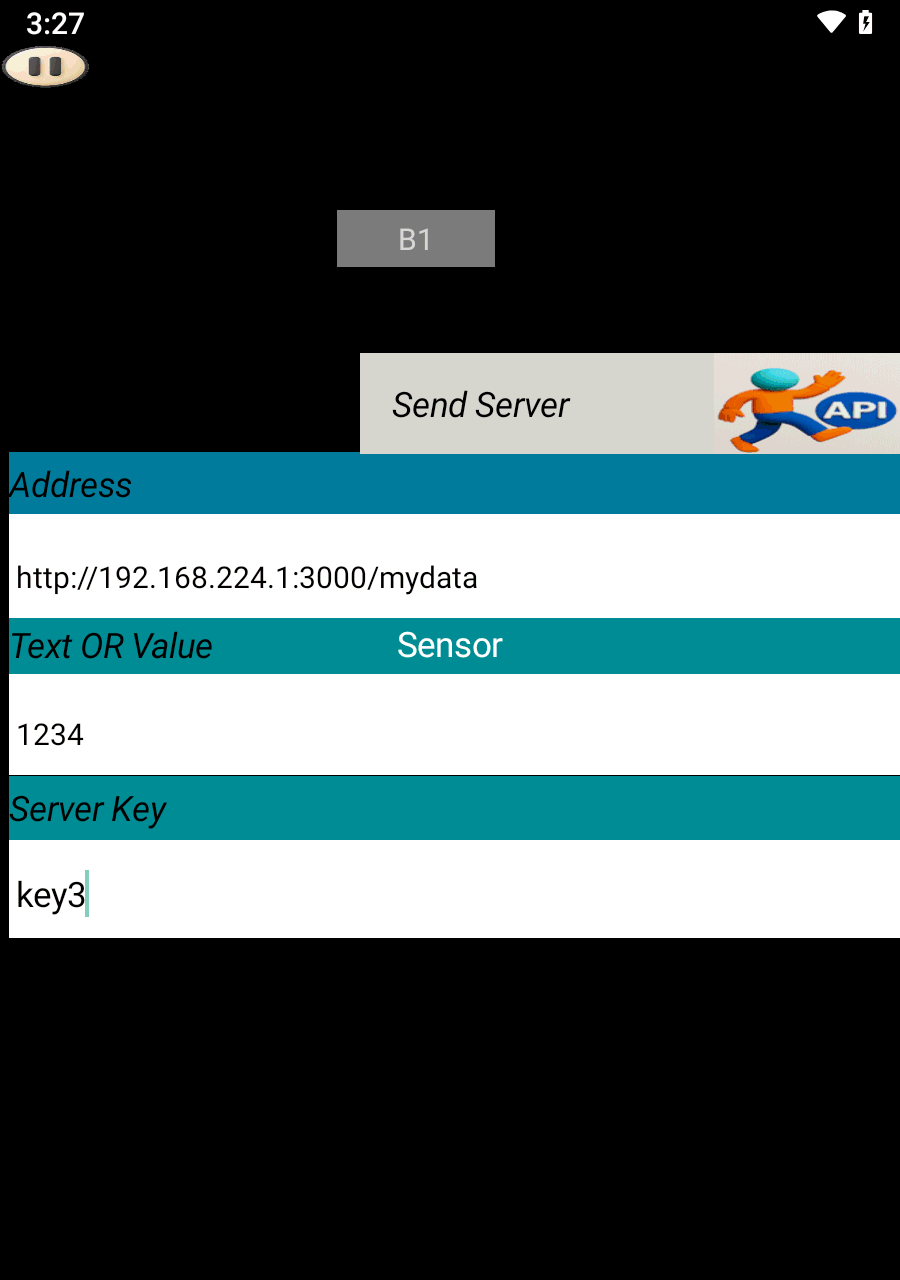
Step 2: Sending Data from SoifGo
Open SoifGo and create a button. Set its behavior to Send Server.
In play mode, clicking this button will send the value 1234 to the server.
You can verify the result by visiting the following address in your browser:
{"key3":"1234"}✅ Upload successful.
Step 3: Receiving Data in SoifGo
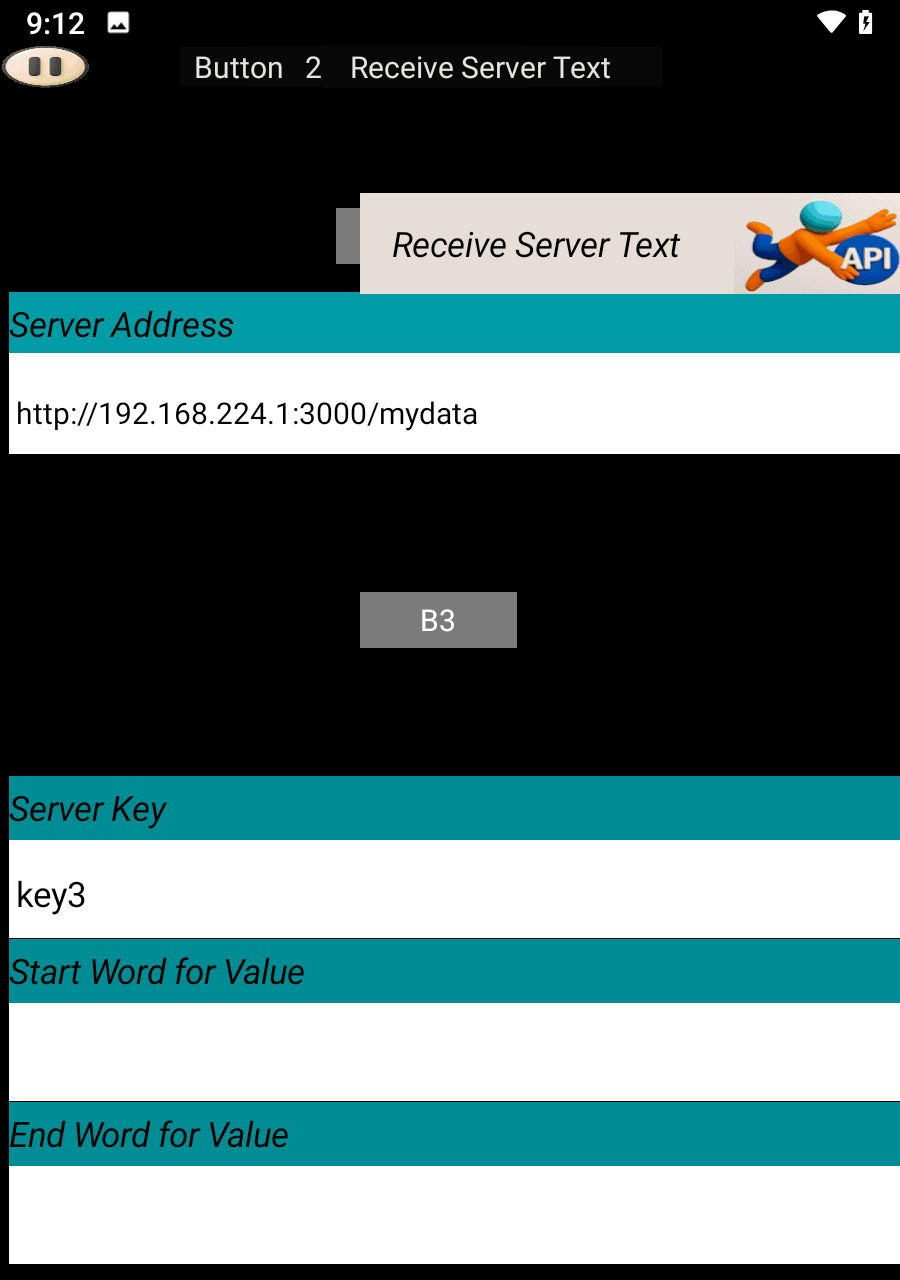
Create another button and set its behavior to Receive Server Text.
If your server response includes extra characters, you can use the Start Filter and End Filter fields to extract the desired part.
If no filtering is needed, leave those fields empty.
Step 4: Using Effects with Received Values
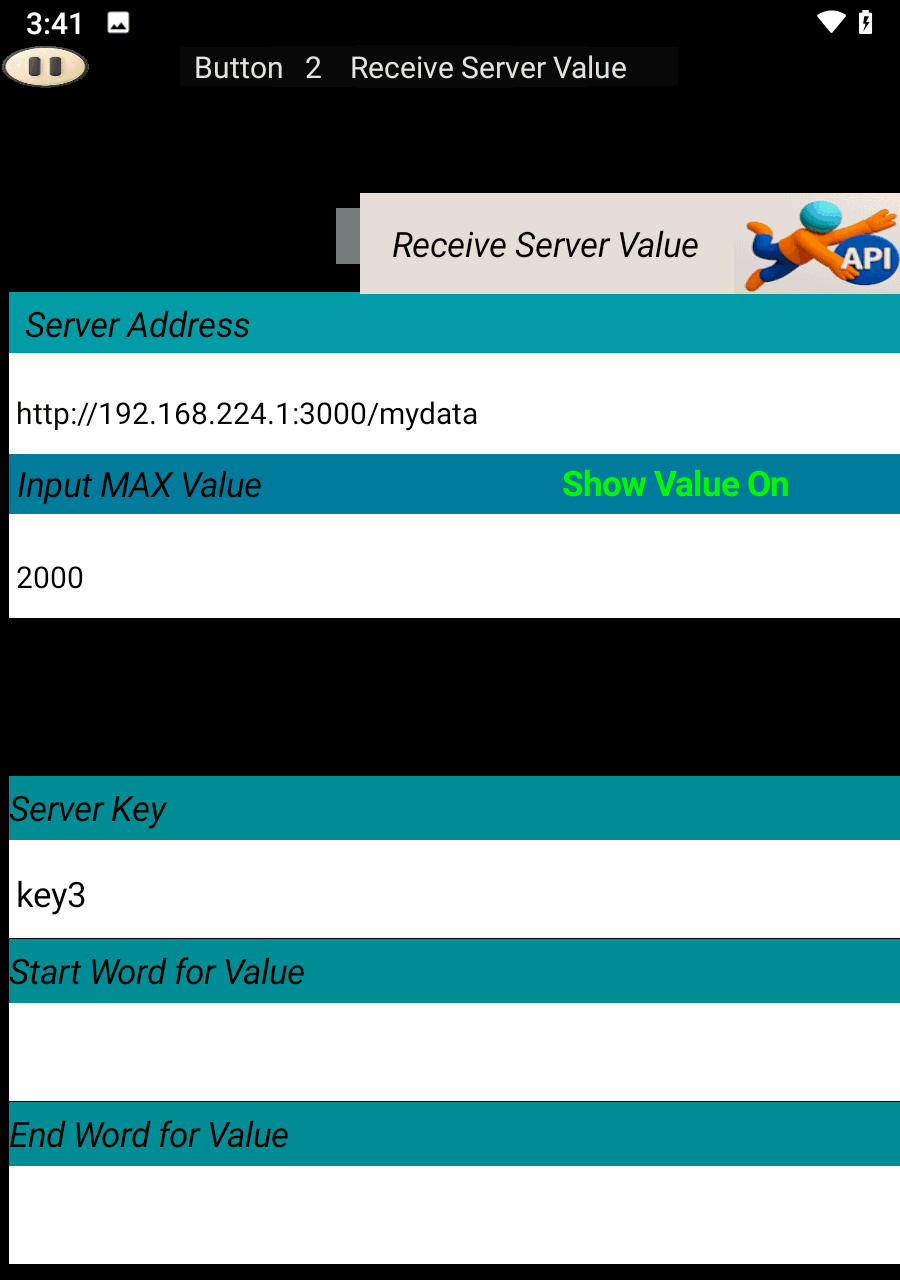
If you want to trigger visual effects based on received values, set the button behavior to Receive Server Value and specify the Maximum Value.
Once configured, effects will appear in the menu.
To learn more about applying effects to buttons, visit the following link:
🎨 Effects TutorialAdvanced Filtering
If extracting an API key does not work due to malformed data, simply leave the key field empty to receive the entire dataset. Then, specify the word or phrase that comes before and after the desired value. The system will filter the data between those markers and display the extracted result.