
SoifGo — Tell your idea, let AI write the code, run it in SoifGo
Tell an AI assistant what tool you want, get its HTML code and load it into SoifGo; from a simple calculator or teaching tool to, for electronics hobbyists, controlling Arduino and ESP32.
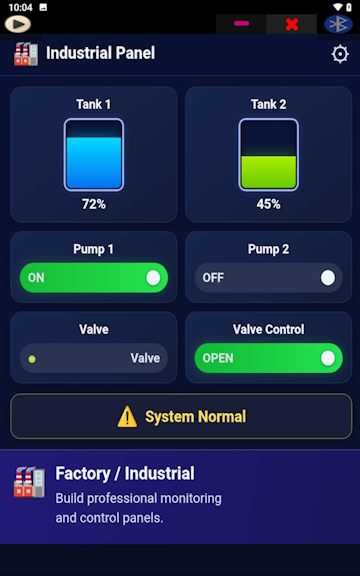
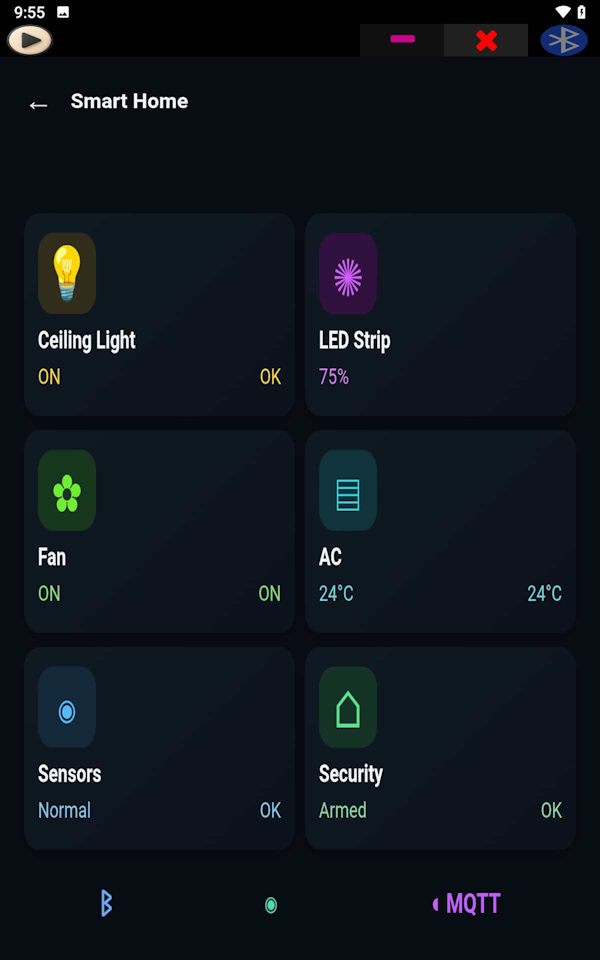
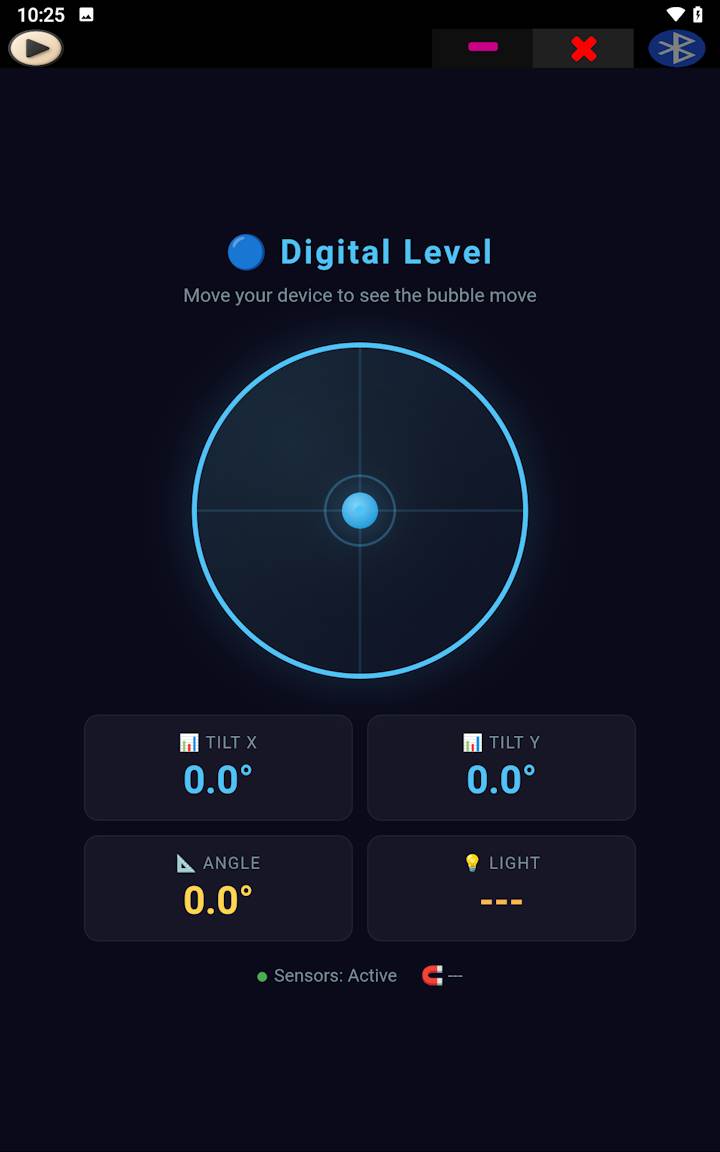
Build an Android app with HTML — no native coding
Anything that is possible in a web page is possible in SoifGo. SoifGo runs your tools as HTML and keeps them organized in folders. From calculators and simulators to teaching tools and dashboards, and, if you need it, hardware control over Bluetooth and MQTT.
SoifGo has no built-in AI. The workflow is simple: you describe what you want to an AI assistant of your choice, it gives you HTML code, and you run that code inside SoifGo. If you can write a web page, or just describe your idea to an AI assistant, you can build your own tool.
Who is SoifGo for?
📐 Mathematicians and students
Specialized calculators, graph and function plotting, simulations and problem-solving tools, exactly as you need them.
🎓 Teachers and trainers
Interactive tools for class, practice and tests. Send the file to students and trainees so they can run it themselves.
🏗️ Engineers of every field
Engineering calculators, unit converters and personal calculation sheets that are available at work, even without internet.
🔌 Makers and electronics hobbyists
Bluetooth and MQTT controllers and dashboards for Arduino, ESP32, ESP8266 and Raspberry Pi.
💡 Anyone with an idea
Tell an AI assistant your idea, get HTML code and run it in SoifGo.
Ready to build your first tool?
Get SoifGo →Arduino and ESP32 controller over Bluetooth and MQTT from an Android phone
Any device that uses Bluetooth SPP (such as HC-05 and HC-06),
MQTT or HTTP REST works with SoifGo:
Arduino, ESP32, ESP8266 and Raspberry Pi.
Send LED, motor and relay commands over Bluetooth, build a Bluetooth-to-MQTT bridge, or make a live sensor dashboard — all with HTML, no native code.
Folders and pages
SoifGo gives you folders and pages to keep your work organized. Each page has 40 buttons and 10 sliders, and you can set each button to defined behaviors, including navigating between SoifGo folders and pages. This way you can build many menus.
Buttons come with ready-made basic designs: color, icon, name, font, sound and vibration. They can be moved by drag and drop. Each button can have basic behaviors such as send and receive.
Web behavior, both online and offline
“Web behavior” (WebView) helps you get your ideas and wishes with the most capability, as HTML, both online and offline. Just describe what you want to an AI assistant and ask for HTML code. Then you have two options:
- Download the file and load it into SoifGo offline with web behavior.
- Or copy the code and paste it into SoifGo's own HTML editor.
Both ways work, and your web app is stored in your SoifGo folder. Whether it is a calculator, a Bluetooth controller, IoT monitoring or anything else you like.
How do I run AI-generated HTML code in SoifGo?
Do these steps once, and you will have a ready button for running your code:
- Open edit mode: Open the SoifGo app. Tap the menu icon at the top left and choose Edit to enter the edit screen.
- Create a folder: Tap the top-left menu again, choose Select Design, then Folder, and tap Create. Rename the folder if you like, otherwise tap OK.
- Create a page: A Page option now appears next to Folder. Tap it and choose New Page. Rename the page if you like, then tap OK.
- Place a button on the page: The buttons appear in the list. Each page has 40 buttons, and the count goes down every time you take one. Tap a button and use your finger to choose its position on the page.
- Set the button behavior: Tap the button, open the menu, choose Behavior from the button list, then Browser or HTML files. Here you pick between acting like a browser or loading an HTML file. Choose the second one: Open or edit local HTML file in WebView.
- Create the HTML file: The easiest choice is the first option, Create. Rename the HTML file if you like, otherwise tap OK. Sample gives you ready-made examples, File Explorer loads a file from your phone storage, and Saved points to the HTML folder inside the folder you created in SoifGo.
- Run the button: Use the menu icon at the top to go to the Play screen, then tap the button you made. An empty page saying “Hello SoifGo” opens.
- Paste the AI code: Open the menu again and choose Edit to open the WebView edit screen. Paste the HTML code you got from the AI assistant here. You can select all and paste by hand, or open the menu and pick the last option, Select All and Paste, which replaces the code automatically.
- Run the code: Now tap the yellow button (Close) at the top of the screen. Your code runs. You can close the page and just tap your button each time to run your tool.
Next time you get new code from an AI assistant, just go to the same page, tap Edit, choose Select All and Paste on the WebView edit screen, and tap the yellow button again. If you use File Explorer, your phone may not support that part; in that case it is best to install a suitable file manager on your phone.
40 different web apps on every page
You can have 40 different web apps on every page. You do not need to ask the AI assistant for them every time, and you can work with them offline. You can even send them to colleagues, friends or trainees so they can download and run them.
SoifGo features
🌐 Full WebView
A modern browser engine: Canvas, SVG, WebGL and libraries like Chart.js, D3 and Three.js for charts, simulations and 3D display.
🧩 Classic mode
Ready-made buttons and sliders, with no code at all, for simple controls and menus.
💾 Local storage
Keep data with localStorage even after closing the app.
🟢 Phone sensors
Ambient light, motion (accelerometer) and magnetometer, live.
🎤 Microphone and speech recognition
Convert speech to text and use it in your tools or send it to devices.
🔵 Bluetooth serial
Send and receive text with HC-05, HC-06, JDY-31, Arduino, ESP32 and Raspberry Pi.
🟣 MQTT client
Connect to any broker (tcp or ssl), publish and subscribe, and check the connection status.
🟠 HTTP API
Send JSON to any address and receive and extract values from the response.
What can you build?
- Calculators and specialized calculation tools
- Graph plotting, simulations and data visualization
- Interactive teaching tools, practice and tests
- 3D display and scientific tools
- Dashboards and custom panels for your own work
- LED, motor, relay and robot control over Bluetooth, and a Bluetooth-to-MQTT bridge
- Voice control of devices with speech
Frequently asked questions
Is SoifGo only for Arduino and electronics?
No. Hardware connection is just one of its features. Because your tools are HTML, anything that works in a web page, such as calculations, charts, simulations and teaching tools, also works in SoifGo.
Is SoifGo free?
Yes. It is free, with no ads and no in-app purchases.
Does it work offline?
HTML tools, Bluetooth and the phone sensors work without internet. Only MQTT and HTTP need an internet or network connection.
What hardware is it compatible with?
Any device that uses Bluetooth SPP (such as HC-05 and HC-06), MQTT or HTTP REST, including Arduino, ESP32, ESP8266 and Raspberry Pi.
What do I need to get started?
Basic HTML knowledge is enough. Even without it, you can describe what you want to an AI assistant and get HTML code. Tutorials and ready examples are on the main page.
Ready to start?
The main page opens with the download, tutorials and documentation.
Enter SoifGo → Free, offline, no ads — for Android 7 and higher